






- July 3, 2026
OCI card holders can now download their e-OCI card and use it at airports: Click To Download
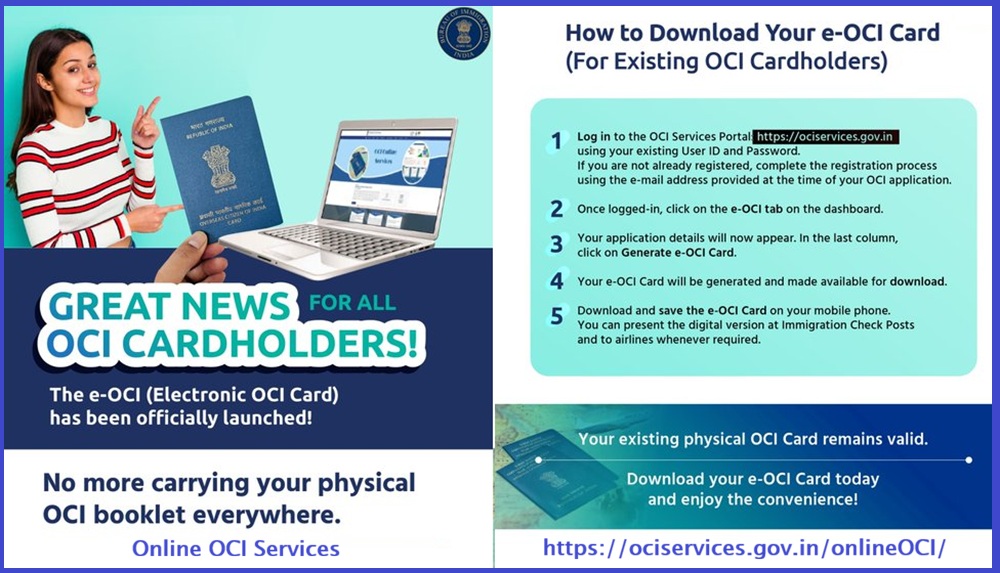
LONDON July 3: The Government of India has officially launched the Electronic Overseas Citizen of India (e-OCI) Card, allowing Overseas Citizen of India (OCI) cardholders to carry a digital version of their OCI document on their mobile phones instead of relying solely on the traditional physical booklet. The initiative is expected to benefit more than 5 million OCI cardholders worldwide.
The e-OCI Card was launched on June 30 by Amit Shah as part of the government’s broader push to digitize citizen services. The new system enables applicants to complete the OCI process online and allows existing OCI cardholders to generate and download a digital version of their OCI card through the official OCI Services Portal. Visa& Immigration
According to the Ministry of Home Affairs, the digital credential can be stored on a mobile device and presented at immigration checkpoints in India as well as to airlines during travel. Existing physical OCI booklets will continue to remain valid and do not need to be replaced.
To obtain the e-OCI Card, existing cardholders must log in to the official OCI Services Portal using their registered credentials, navigate to the e-OCI section on the dashboard, and select the option to generate the digital card. Once generated, the card can be downloaded and saved on a smartphone for future travel.
The government said the initiative is intended to provide a more convenient, paperless experience while reducing the risk of lost or damaged documents. The digital system also enables real-time verification and is expected to speed up immigration processing.
The launch follows changes introduced under the Citizenship (Amendment) Rules, 2026, which modernized OCI procedures and eliminated the requirement to reissue a physical OCI booklet after an OCI holder receives a new passport after the age of 20. Instead, cardholders are now required to update their passport details online whenever a new passport is issued.
Officials said the e-OCI system is part of a broader effort to make government services more accessible through digital platforms while simplifying travel and documentation for the global Indian diaspora.
Register Your Email (If you haven’t)
eOCI card will only be available for the registered email IDs linked with the OCI number.
If your linked email ID is not functional now, then please apply for email ID updation application (view SOP) through the OCI Miscellaneous Services. Once on to the OCI Miscellaneous Services, choose email updation and then complete the sections and upload the copy of the existing OCI card in PDF format CLICK TO KNOW MORE ABOUT EMAIL UPDATION
How to Download Your e-OCI Card (For Existing OCI Cardholders)
1️⃣ Log in to the OCI Services Portal: https://ociservices.gov.in using your existing User ID and Password. If you are not already registered, complete the registration process using the e-mail address provided at the time of your OCI application.
2️⃣ Once logged-in, click on the e-OCI tab on the dashboard.
3️⃣ Your application details will now appear. In the last column, click on Generate e-OCI Card.
4️⃣ Your e-OCI Card will be generated and made available for download.
5️⃣ Download and save the e-OCI Card on your mobile phone. You can present the digital version at Immigration Check Posts and to airlines whenever required.
Your existing physical OCI Card remains valid.
Click To Download your e-OCI Card today and enjoy the convenience!
📢 Great News for All OCI Cardholders!
The e-OCI (Electronic OCI Card) has been officially launched!
No more carrying your physical OCI booklet everywhere. You can now download your digital e-OCI Card on your mobile phone and present it at Immigration Check Posts and to… pic.twitter.com/DpQ5UqYC5r
— Bureau of Immigration, Government of India (@BOIndiaOfficial) July 1, 2026